
What Do I Do Today? Introducing Your Daily Journey
There is a particular kind of stall that happens about four seconds after you open a study app. The screen loads. Everything is available. Nothing is chosen. You scroll a bit, open something at random, and by the time you have decided what to do you have spent more energy deciding than studying.
We had built that. Not on purpose, but we had built it.
The Problem We Kept Hearing About
Our last post was about answering "am I ready?" with an honest number. This one is about the question that comes immediately after it, and that we were answering much worse: what do I actually do right now?
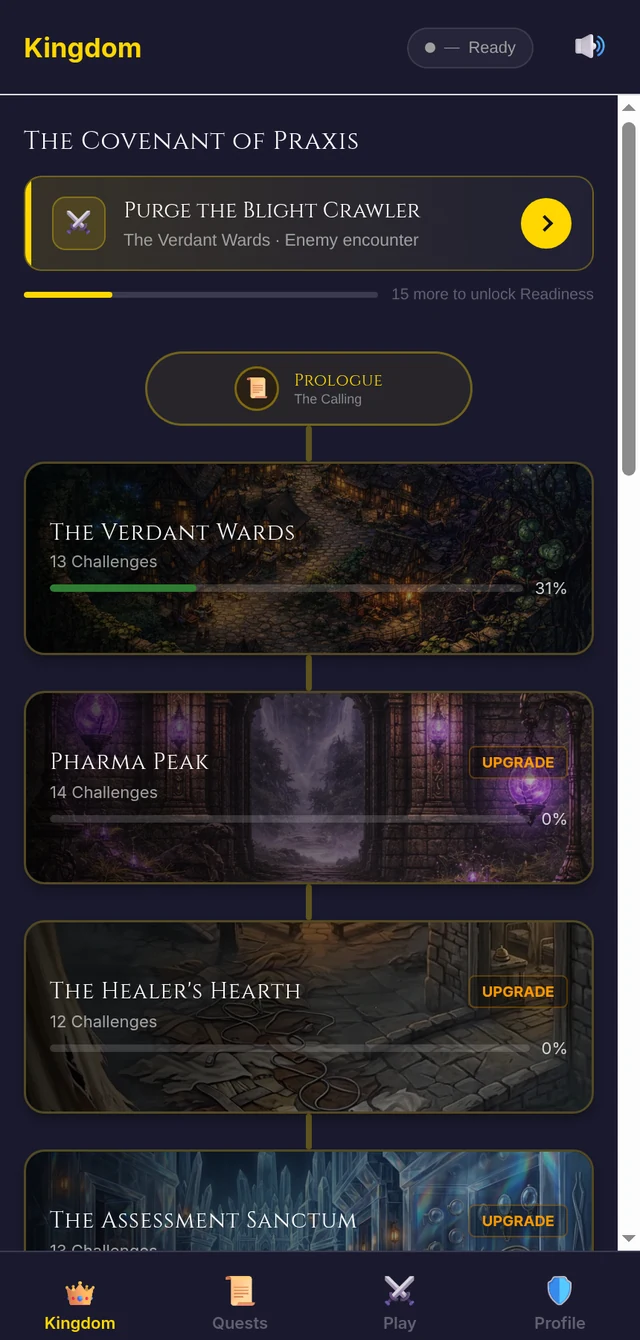
Until this week, opening NCLEX Kingdom put you on a map of fourteen realms. That map is the game, and we like the map. But it is a place to browse, not an instruction. To get anywhere you had to remember which realm you were in the middle of, open it, remember which step you had finished, and start the next one. Three decisions before a single question.
It was worse for someone brand new. The top of that screen carried our logo, a tagline, and a counter that read "0 / 14 Realms Conquered" — which is a strange way to greet somebody on the day they arrive. It told them nothing, then told them they had done nothing.
And it quietly undermined the rest of the app. We ship a daily study reminder. Tapping it opened the app to that same map, which meant the notification's real message was "here is a screen, good luck." A reminder that does not land somewhere specific is barely a reminder.
What We Built
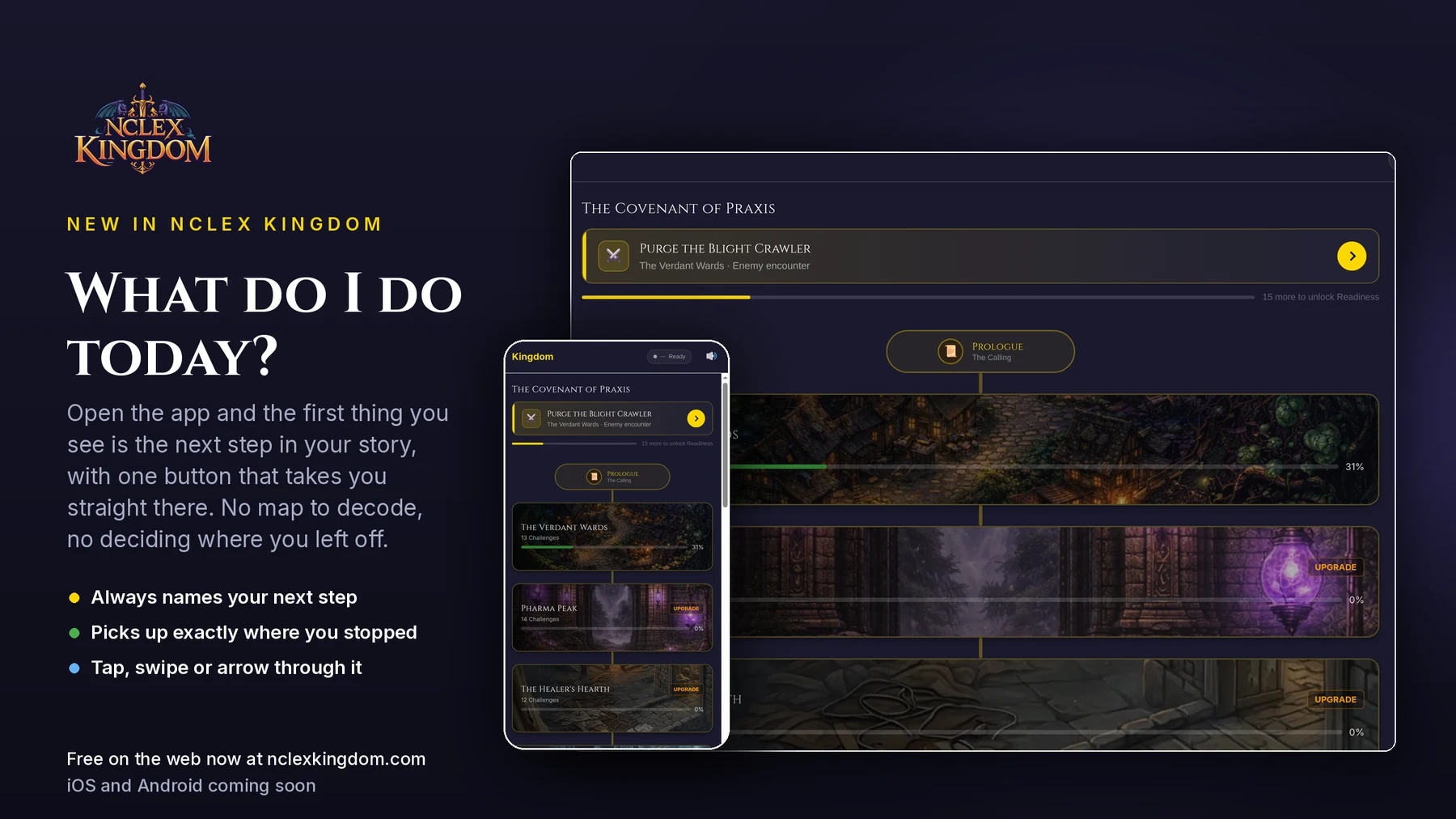
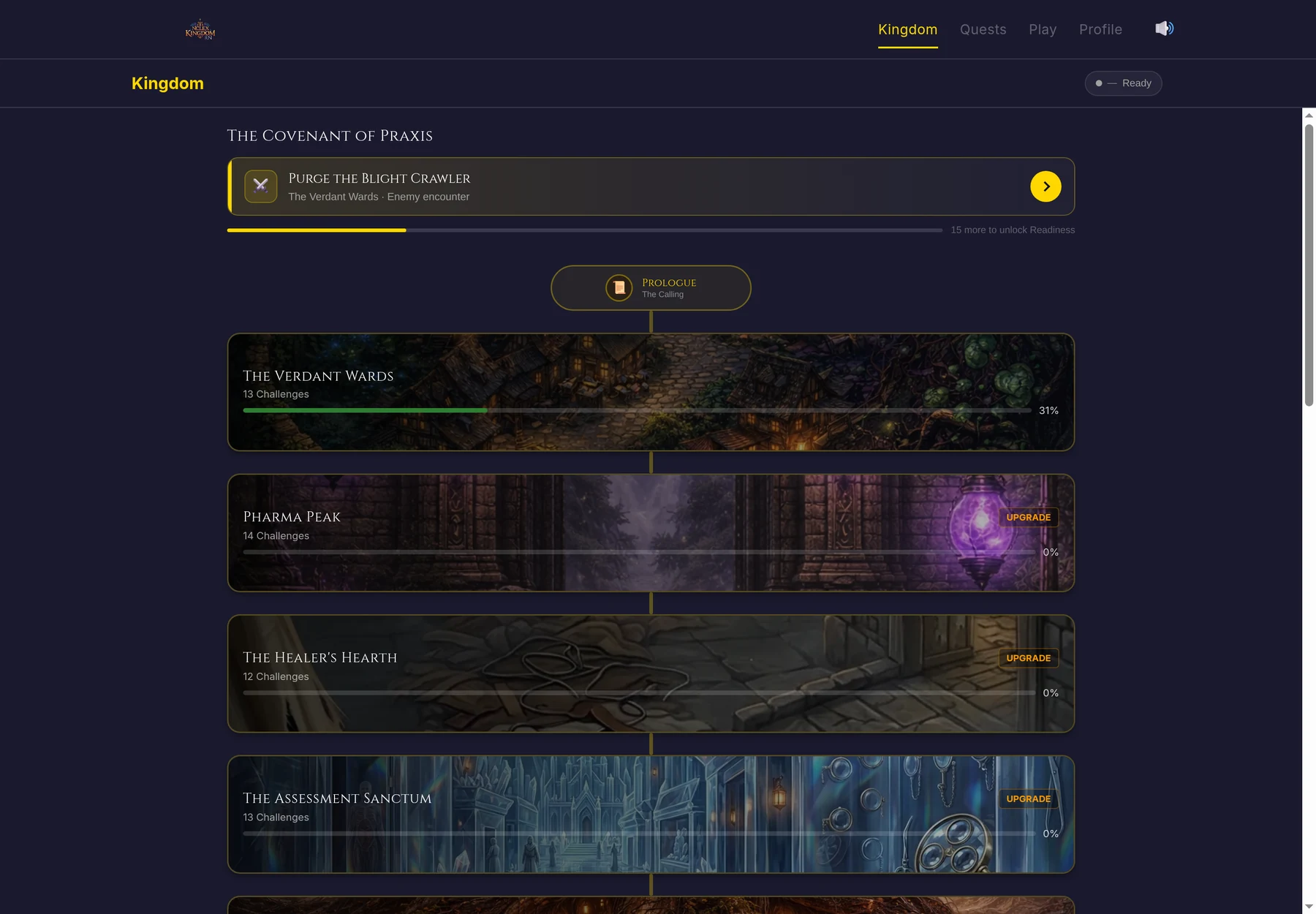
The top of the Kingdom is now a single card that always answers the question, and one button that acts on the answer.
It names the next step, not a category
This is the part we thought hardest about, and where we deliberately did not do the obvious thing.
The obvious thing is to look at your weakest NCLEX category and tell you to go drill it. Plenty of apps do that. It works, and it turns the whole experience into a homework assignment — which is exactly what people are avoiding when they avoid studying.
So the card never assigns you a category. It names the next step in your story: the encounter, the lesson, the practice set you have not done yet. "Purge the Blight Crawler." "Patient Identification and Hygiene." Those are the same NCLEX content either way, but one of them is a thing you want to go and do.
We can do this because the Kingdom is already built along the test plan. Every realm covers a Client Needs category, so walking the road covers the material by construction. Coverage is a consequence of playing, not an instruction we have to give you.
It takes you straight there
Pressing Continue does not open the realm and leave you to find the step. It opens the step. The realm sits underneath, where you would expect it if you back out.
Small thing. It removes two screens from every single study session.
It counts down to your Readiness Score
Under the card is a thin line with a number beside it: how many questions until your pass probability unlocks.
Your readiness estimate needs a real spread of practice before it means anything — we wrote about why it refuses to guess in the pass probability post. That gate used to be invisible. Now it is a target you can watch fill, and the questions that fill it are just the story you were playing anyway.
Once it unlocks, the same line becomes today's progress instead.
It knows when you have done today's work
Finish the day's questions and the card turns green, banks your streak, and tells you what is waiting next.
It does not stop you. This was a deliberate call: the daily number is a goal, not a cap. If you are having a good night, the button still says press on, and the card still names the next thing. Nothing in the app has ever been improved by telling a motivated student to come back tomorrow.
Getting Through a Step Should Not Be a Puzzle
While we were in here, we fixed something that had been quietly annoying for months.
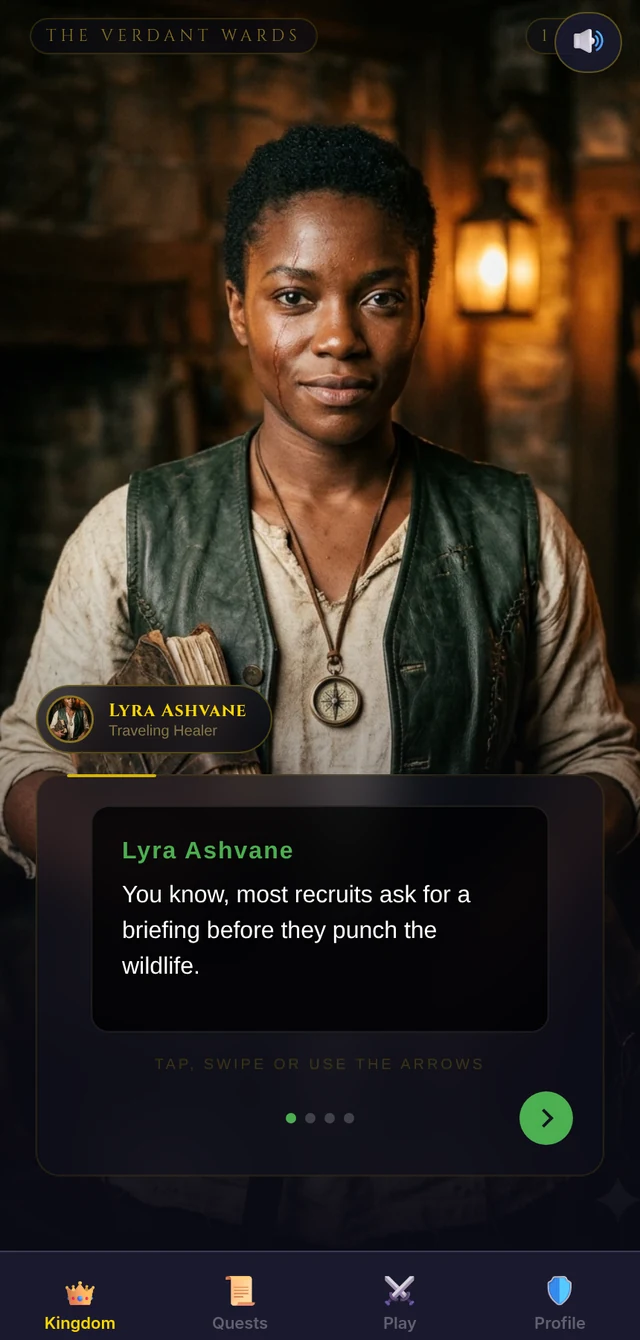
The story and lesson steps move one line at a time. Until now the only way forward was to tap the dialogue panel, hinted at by a pulsing "TAP TO CONTINUE" label — which reads like decoration, not like a control. There was no way to go back at all. Skim past a line and it was gone.
Every step now has a real forward button, a back button, and progress dots. You can also swipe left and right, or use the arrow keys on a desktop. The hint appears once, on the opening line, and then gets out of the way.
What It Does Not Do Yet
In the same spirit as last time, here is what we have not done.
The daily target is a flat number. It does not yet scale to how much you actually play, so it will feel light for some people and heavy for others. That is the next thing to fix.
We do not ask when your exam is. We could pace the plan much better if we did, and we will probably ask eventually — but we are not putting a form in front of you before you have played anything. You can start the app in one tap and we would like to keep it that way.
It is not a coach. It knows where you are in the Kingdom and how much you have done today. It does not know that you have a placement tomorrow or that pharmacology makes you want to lie down. It answers "what next", not "what is best for you this week".
Try It
The daily journey is live on the web right now and free to use. Open it and the next step will be sitting at the top, whether it is your first session or your fortieth.
It is coming to the iOS and Android apps soon.
We built this because the hardest part of studying most days is not the studying. It is starting. If the card puts you in front of a question faster, or if it points somewhere that makes no sense, we want to hear about it.